V2 canvas: connect screens
Connect screens so each action leads to the right next screen; verify default and conditional paths.
Find the connection ports
Each node has handles on its edges: input handles on the left of non-launch screens, and one output handle per action on the right. Hover a handle to see its action label.
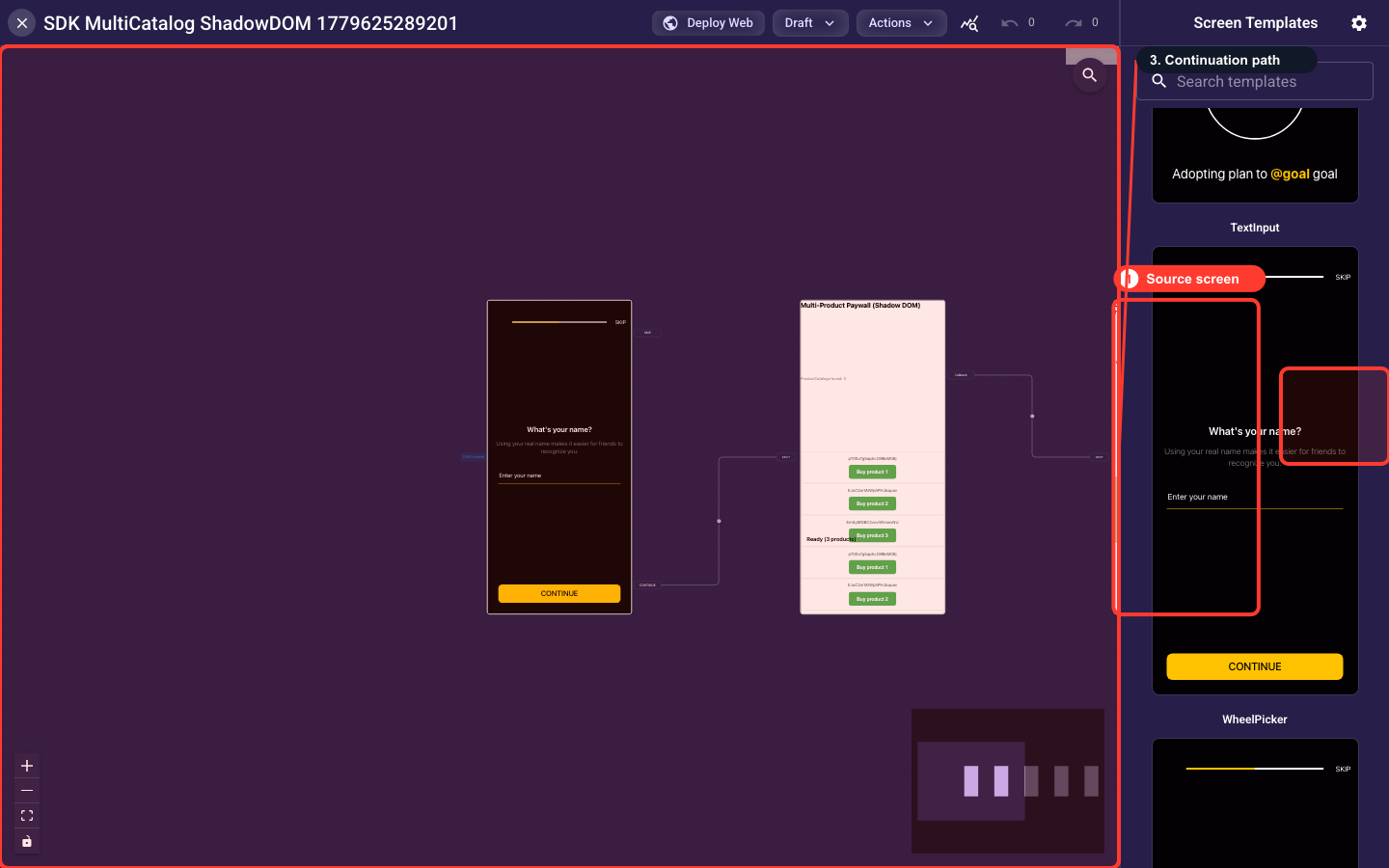
Draw a default connection
Drag from an output handle on the source to an input handle on the target to create an edge. This is an unconditional path: every visitor who takes that action goes to the target.
Add conditions to a connection
Click an edge to open Connection Details, then Edit Conditions to define AND/OR logic on flow variables. Conditional paths activate only when the conditions are true.
Remove a connection
Click an edge, then Delete Connection and confirm. The target becomes unreachable through that action unless another path exists.
Verify the flow is complete
Before publishing, confirm a launch screen is set, every non-final screen has an outgoing connection, paywall screens point to valid products, and each branch ends meaningfully.
FlexibleLayout sections add their own handles
FlexibleLayout screens hold multiple sections (content, buttons, options, embeds, paywalls), and each can generate its own connection handles. Handles appear automatically based on the sections you add.
Carousel and ProgressSteps auto-advance
Carousel and ProgressSteps screens advance on a timer rather than a button, so their timer handle is what you route from. These types have no Action Bar because visitors do not click Continue.