Subtitle
The Subtitle is the supporting line under the title. It is a reusable text element — the same text and styling settings apply wherever a subtitle appears. This guide documents every Subtitle setting.
Subtitle
The line under your title
The subtitle is the supporting line beneath your title; use it to expand the promise, add proof, or hint at what happens next. Turn it on and keep it to one short sentence; it shows smaller and lighter than the title by default so the headline stays dominant. Like the title, you can personalize it with @ variables. Skip it on screens where the title already says everything.
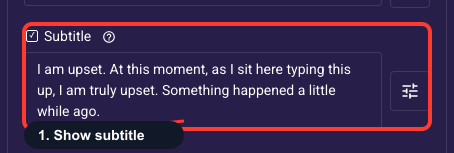
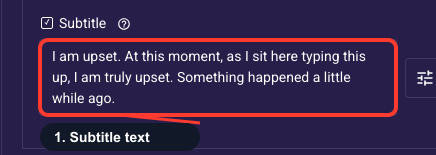
Write the subtitle text
Type the supporting line that sits under your title here, one short sentence that reinforces the offer or tells the visitor what comes next. The same shortcuts work as in the title: type @ to insert an earlier answer, @link to add a clickable link, or @countdown for urgency. If your funnel is multilingual, text is saved per language, so switch language before editing each translation.
Subtitle look and emphasis
Change how the subtitle looks — font, size, weight, color, alignment, and an optional background — styled separately from the title so you can tune each one. By default it inherits your theme (usually smaller and lighter than the title), which works for most funnels. Override only when a specific screen needs different emphasis.
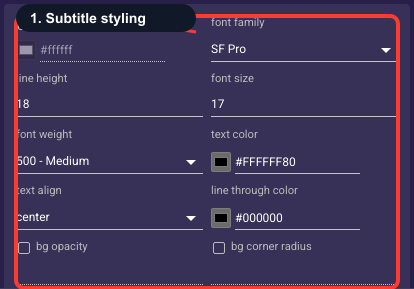
• Text background color
An optional fill drawn behind the subtitle text (a highlight pill). Off unless you set it; leave empty for plain text on the screen background.
• Font family
The typeface of the subtitle.
• Line height
Vertical spacing between lines of text — raise it to give multi-line text more breathing room.
• Font size
Text size of the subtitle in pixels.
• Font weight
How bold the text is, from Thin through Bold to Black.
• Text color
The color of the subtitle text. Keep enough contrast with the background that it stays readable.
• Text align
Horizontal alignment of the text: start (left), center, or end (right).
• Strikethrough color
Color of a line-through decoration when the text is struck out (for example, an old price).
• Background opacity
How see-through the text background fill is, from 0% (invisible) to 100% (solid). Only matters when a background color is set.
• Background radius
Corner rounding (px) of the text background fill; higher is softer.
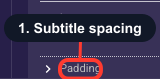
Space around the subtitle
Adds empty space on each side of the subtitle, controlling the gap above it (to the title) and below it (to what follows). Leave it at the theme default unless the subtitle feels crowded. Increase the top value to separate it from the title, or reduce spacing to tighten the whole headline group.