Title
The Title is the headline of a screen: the biggest, first line a visitor reads. It is a reusable text element — the same text and styling settings apply wherever a title appears. This guide documents every Title setting.
Title (headline)
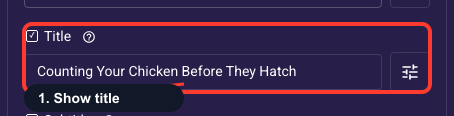
Your main headline
The title is the biggest, first thing a visitor reads, so it carries most of the weight on whether they keep going. Turn it on, then write one short benefit-led line, like an ad headline rather than a sentence. Type @ to drop in an earlier answer (for example @user_goal) so it feels personal, and style it under the gear icon below.
Write the headline text
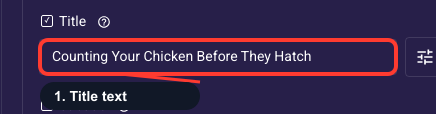
This is where you type the actual headline; keep it short and benefit-driven. Type @ to pull in a visitor's earlier answer (such as @user_goal) for personalization, add a link inside the text with @link, or insert a countdown with @countdown to create urgency on offer screens. If your funnel runs in more than one language, text is saved per language, so switch language before editing each translation.
Title look and emphasis
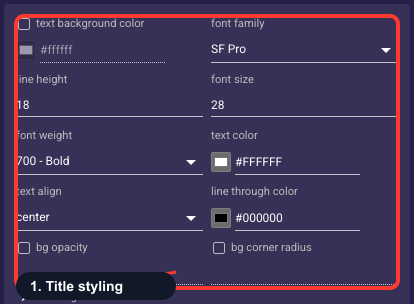
Override how the headline looks — font, size, weight, color, alignment, and an optional highlight behind the text. By default it inherits your project theme, which keeps every screen consistent, so most funnels never need to touch this. Override only when one screen needs extra punch, like a bigger color headline on your hero.
• Text background color
An optional fill drawn behind the title text (a highlight pill). Off unless you set it; leave empty for plain text on the screen background.
• Font family
The typeface of the title.
• Line height
Vertical spacing between lines of text — raise it to give multi-line text more breathing room.
• Font size
Text size of the title in pixels.
• Font weight
How bold the text is, from Thin through Bold to Black.
• Text color
The color of the title text. Keep enough contrast with the background that it stays readable.
• Text align
Horizontal alignment of the text: start (left), center, or end (right).
• Strikethrough color
Color of a line-through decoration when the text is struck out (for example, an old price).
• Background opacity
How see-through the text background fill is, from 0% (invisible) to 100% (solid). Only matters when a background color is set.
• Background radius
Corner rounding (px) of the text background fill; higher is softer.
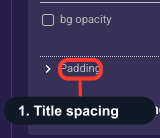
Space around the title
Adds empty space on each side of the title (top, right, bottom, left) so it isn't cramped against the screen edges or the text below. Leave it at the theme default unless the title feels too tight or too far from the next element. Increase a side to give it room, or decrease to pull elements closer together.