Onboarding wizard: theme selection
Pick a theme that covers all planned screen types, not just the first screen.
Reach the Select Theme step
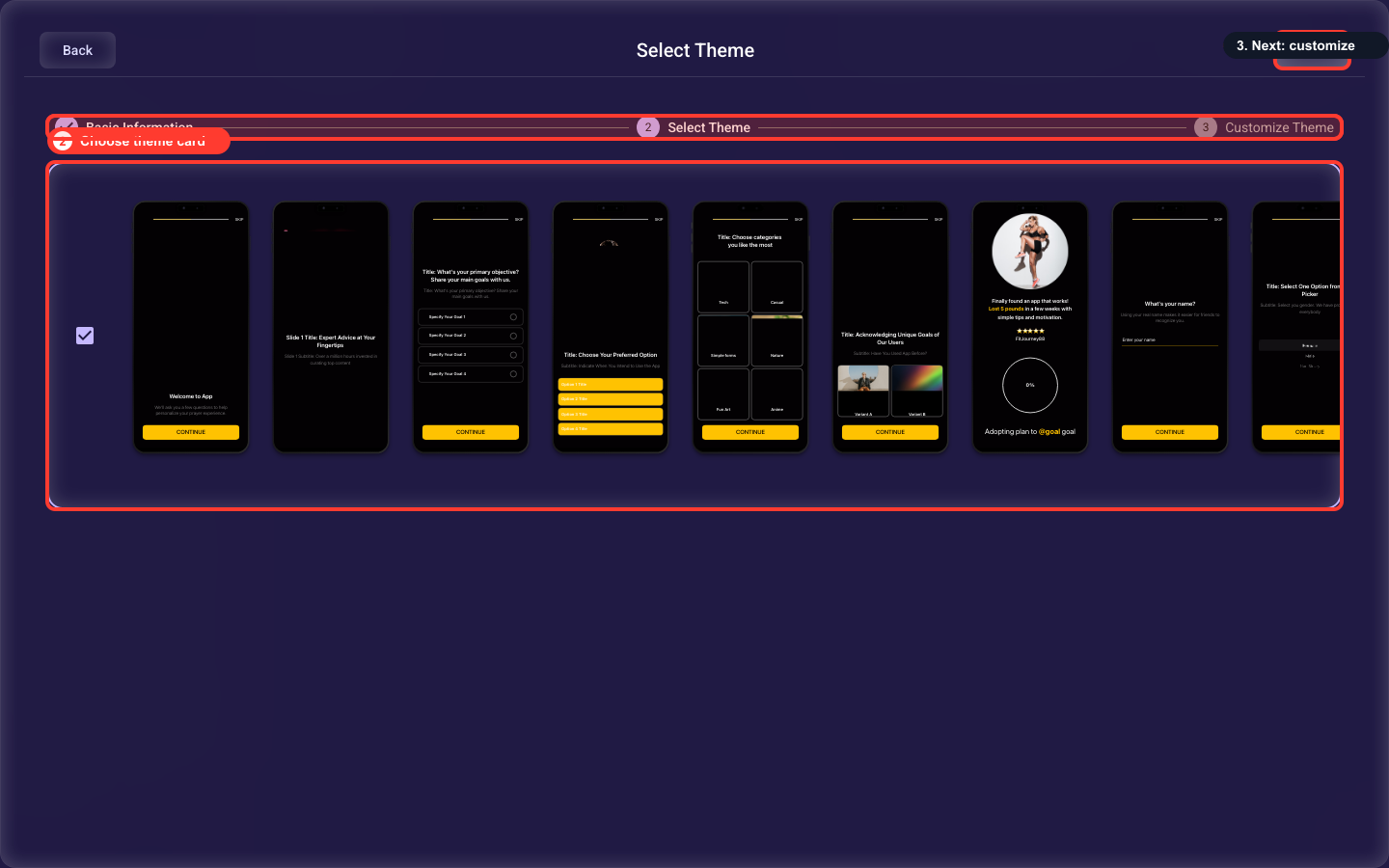
The theme picker lives inside the Create Onboarding wizard. Open Onboardings, click Create Onboarding to launch the wizard, fill in the required Basic Info fields (name, platform, default language, and any supported languages), then click Next. The wizard advances to the Select Theme step, where the theme cards shown below appear. Picking a card here only sets the starting baseline — you adjust the details on the next step, Customize Theme.
Pick the visual baseline
Click a theme card to set it as the baseline for colors, fonts, spacing, and screen layouts. The selected card is highlighted and becomes the starting point for the Customize step.
Keep it reusable
Prefer a theme that can cover every planned screen type rather than optimizing only for the first screen. You can fine-tune everything in the next step.
Related guides