Paywall Products list
Create products here before attaching them to a paywall screen; they must match the Stripe mode the funnel publishes in.
Open the Paywall Products page
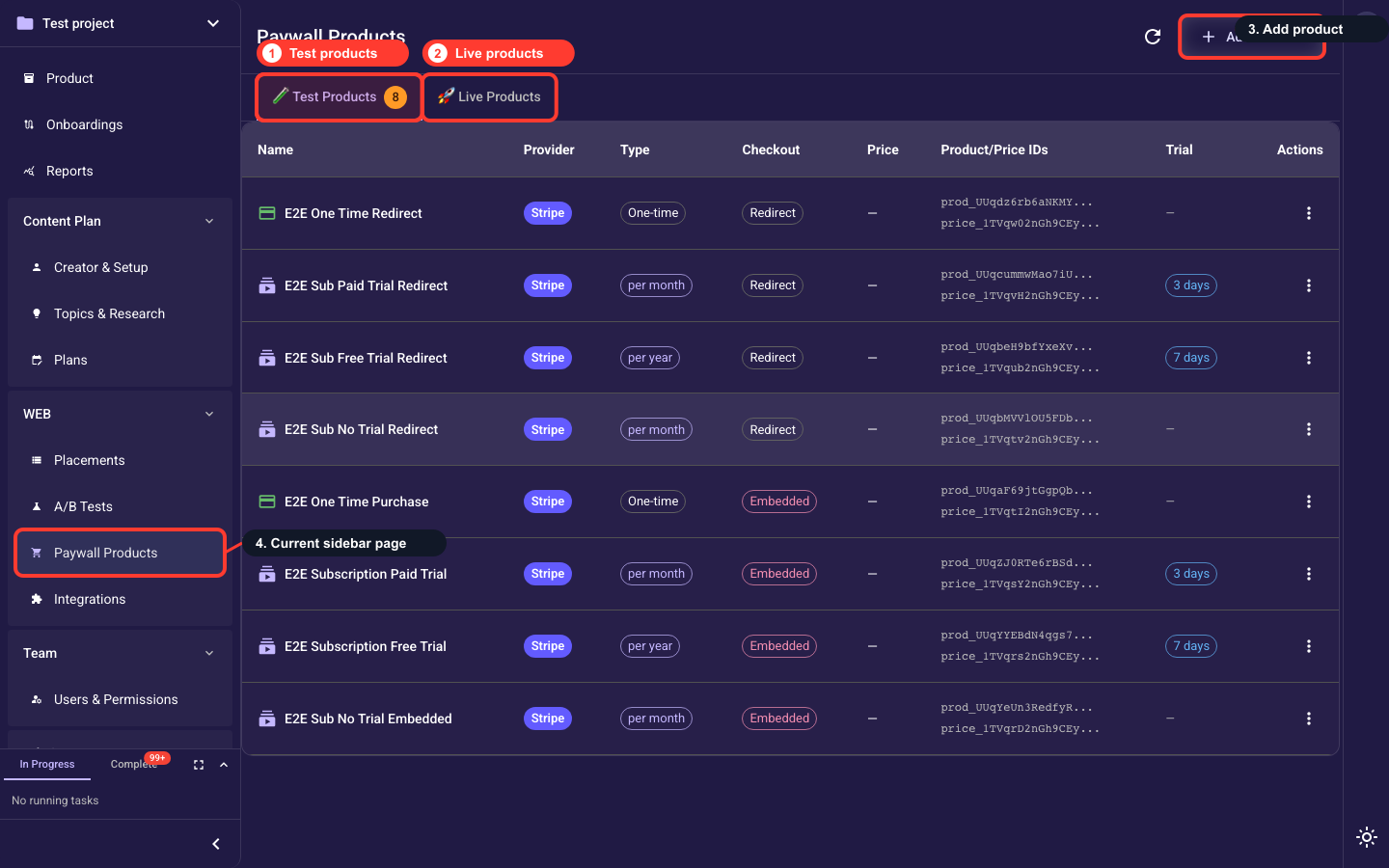
In the left navigation, expand the WEB section and click Paywall Products. This page lists every paywall product in the project, split into 🧪 Test and 🚀 Live catalogs, and is where you create products (Add Product) before attaching them to a paywall screen. If neither Stripe nor Paddle is connected, the page asks you to connect a payment provider first.
Create products before attaching them
Paywall screens can only sell products that exist here, and every product must match the Stripe mode of the published flow. Create, edit, and delete products from this page.
Keep test and live separate
Use test products for sandbox flows and live products for production flows. Mixing modes is the most common reason checkout setup fails.
Related guides